DC Menu App UC Davis Dining Commons
Know what's serving before heading out.
- Role
- Application Developer
- Timeline
- 22-week CodeLab project
- Built
- 4 dining commons in one app
- Stack
- React Native · Express · MongoDB
On my first React Native project, I focused on the data and APIs behind a mobile flow that brings four dining menus, service times, dietary filters, and item details together.
- Compare meals before leavingMenus, service windows, and dietary details were spread across four sites.See the problem
- Put availability firstLocation status and station hours frame filters and item details.Explore the flow
- Carry each field to the phoneMenu APIs preserve timing, allergens, nutrition, and dietary tags.See what we built
- Protect the whole mobile pathAPI fields and dependency changes both affect whether a meal view works.Read the lesson
01 · Context
Bring the meal decision onto one screen.
Choosing a meal at UC Davis meant checking four separate dining sites for a location, the current menu, and food that fit a student's needs. That search could still fail at the last step: a dish might look right, but its station might stop serving before the student arrived.
The team combined student interviews and surveys with a review of other dining apps. Location and meal period gave us the basic structure, while students with irregular schedules made exact service times part of the decision. I joined as an application developer and focused mostly on the data and APIs that carried those choices into the mobile app.
02 · Feature set
Put availability ahead of menu detail.
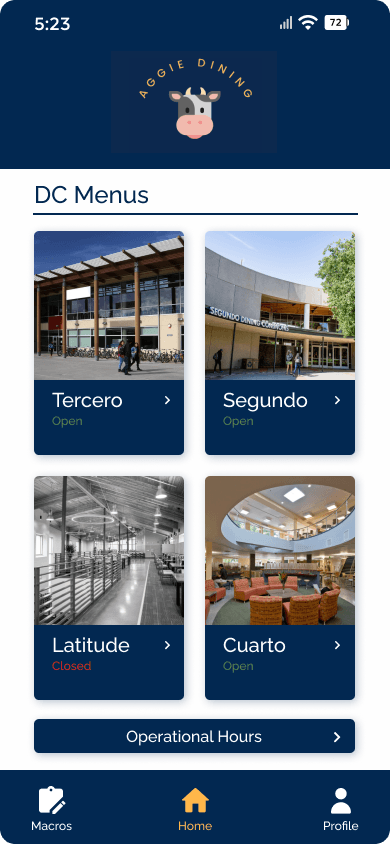
We put all four dining commons and their open-or-closed status on the home screen. From there, a student could choose a meal period and see the actual station service window beside the menu, making timing part of the choice rather than a detail to discover later.
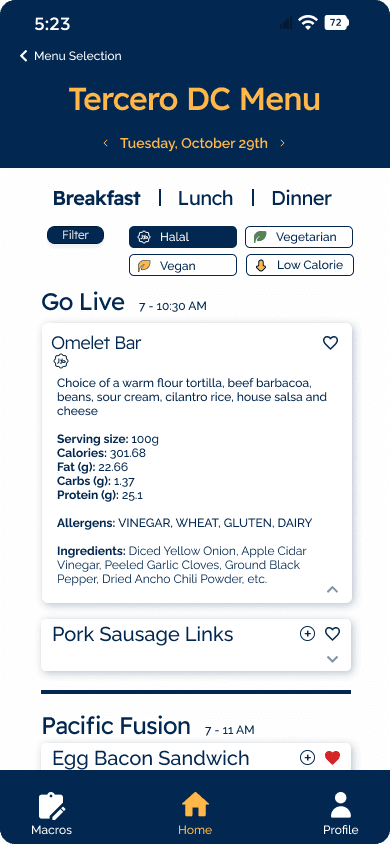
Dietary filters narrow the list before someone opens an item. The expanded record then shows ingredients, allergens, serving size, and nutrition without crowding the first scan. That sequence only works if the scraper and API preserve the fields the interface needs to answer each question.
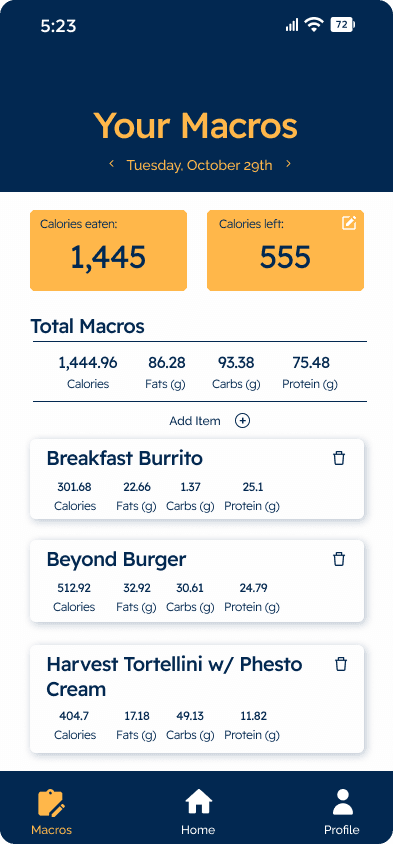
Favorites and macro tracking extend the same menu records beyond a single visit. A student can save a food for later or add it to an itemized daily nutrition total instead of rebuilding that information in another tool.
03 · What we built
Keep the menu record intact from source to screen.
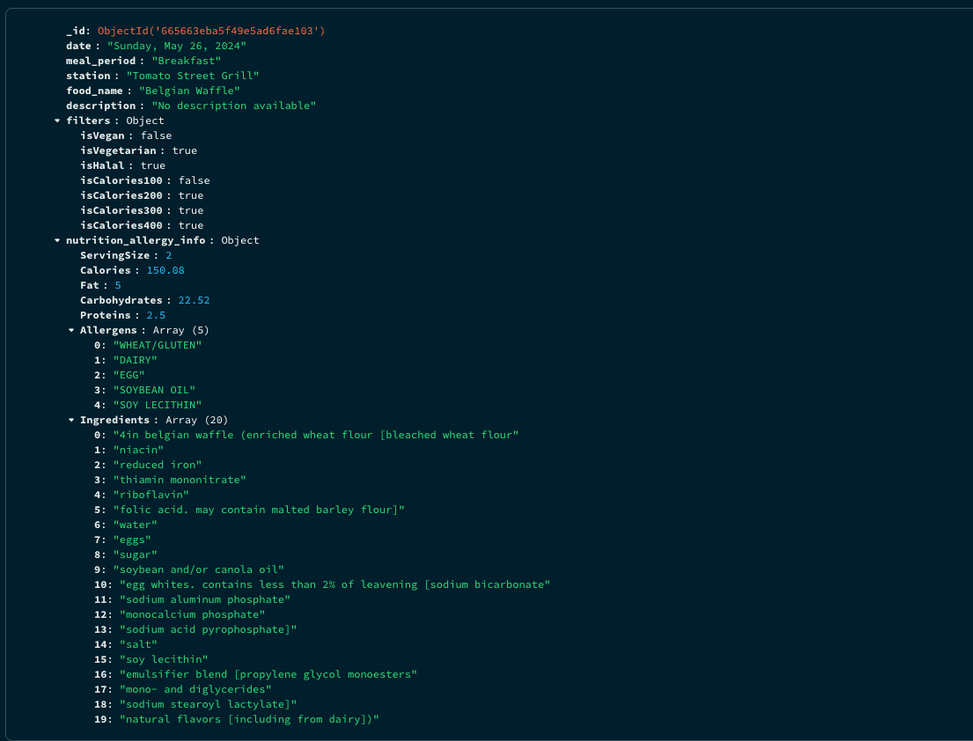
The team turned dining-site menus into structured records and served them to the React Native app through an API. That made station times, dietary flags, and nutrition available to the phone as fields it could filter and display, rather than leaving each screen to interpret the source pages.
Those records supported location navigation, search, dietary filters, favorites, and daily macro tracking. We added Google sign-in and iterated on the screens as the data and interface came together. Working mostly on the data and API side taught me how an omitted field upstream could leave a polished mobile screen unable to answer the student's question.
Track a day
Inspect the data
Engineering notePreserve the fields behind each meal decision
A menu item is useful only when the app can connect it to its station, service window, dietary flags, ingredients, and nutrition. The team separated collection, storage, API, and presentation so those fields could travel together into filtering and detail views.
- BeautifulSoup collected dining-site data into structured records stored in MongoDB.
- Express exposed the menu fields through API routes used by the mobile interface.
- React Native reused those fields across menus, dietary filters, item details, and macro tracking.
04 · Reflection
A useful menu depends on the whole path staying reliable.
My first React Native project made the distance between a working screen and a dependable mobile product concrete. Late in the build, an accidental Expo upgrade from SDK 49 to SDK 51 deprecated components and disrupted screens the team had already built. Recovering from it showed why dependency changes need review across the app, even when the visible feature seems small.
The same lesson runs through the menu data. Combining four sources only helps when service windows, dietary flags, and item details reach the phone together. The team built a shorter path from a student's question to a meal they could actually choose, and I learned that keeping that path trustworthy depends as much on integration discipline as on the interface.